
Nine inventory management software platforms for contractors, ranked by the exact job each one solves best in 2026 — from tracking lumber across three job sites to catching a change order before it eats the margin.
- InventoryHQ wins inventory management software for contractors who need job costing tied to material tracking across warehouses, trucks, and job sites.
- Sortly wins for crews who just need visual, barcode-based counts without job costing attached.
- ToolWatch wins for equipment-heavy fleets tracking tools and heavy gear, not consumable materials.
- ServiceTitan wins for large multi-location trade businesses that need dispatch and inventory in one system.
- Buildertrend wins for general contractors who want inventory folded into broader project management.
Why this matters
A roofing or restoration crew that can't see what's on the truck buys the same bundle of shingles twice in one week. That's not a scheduling problem — it's an inventory problem, and in 2026 most trade contractors still run it off a whiteboard or a shared spreadsheet nobody updates from the field.
Job costing makes it worse when it's disconnected from inventory. If material spend isn't tracked against the original estimate in real time, the first sign of an overrun is the final invoice — long after the crew has moved to the next job. The nine platforms below split into distinct use cases; none of them are trying to be the same tool. InventoryHQ is built specifically for specialty trade contractors who need materials and job costing tracked in one place.
What makes the best inventory management software for contractors
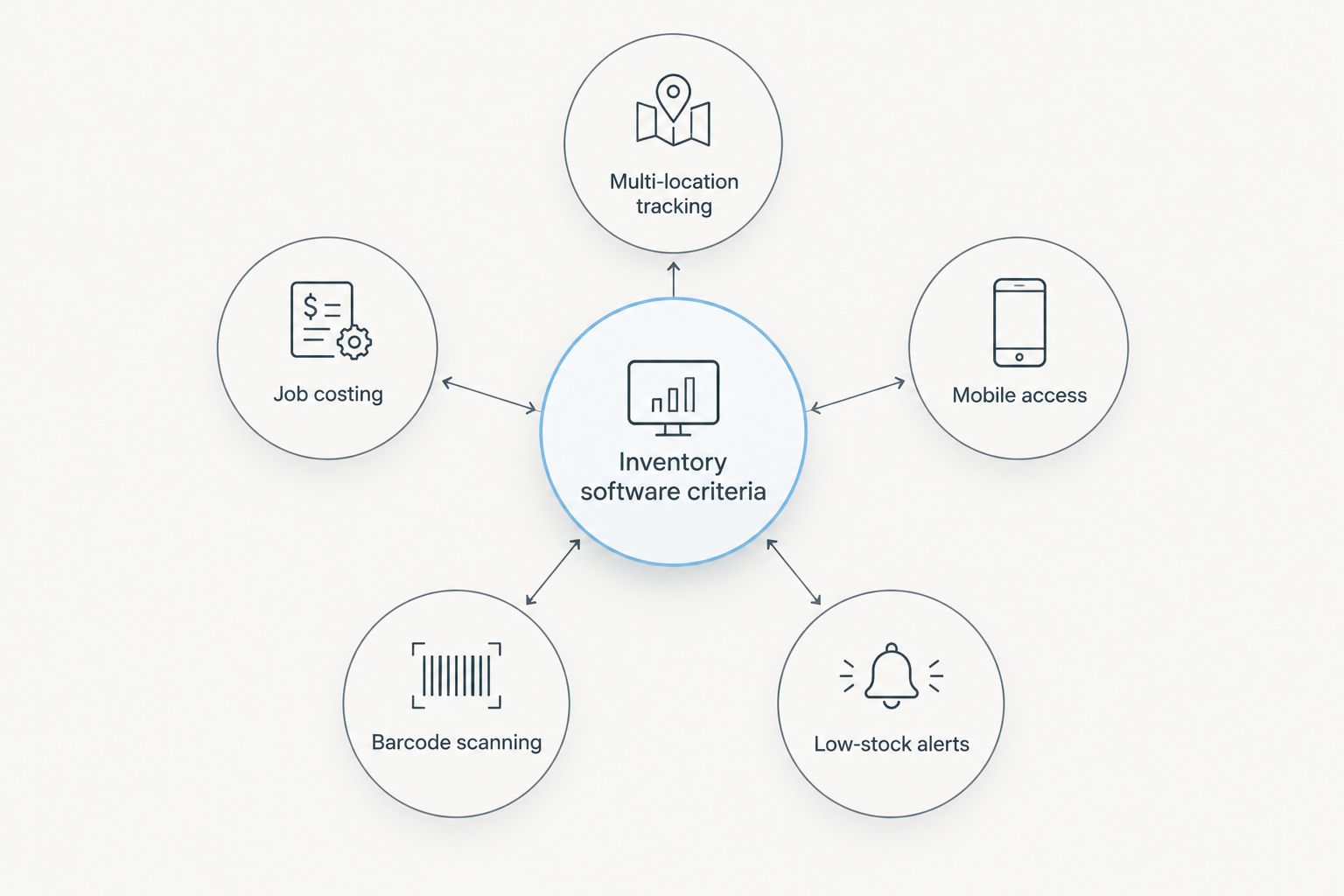
- Multi-location tracking across warehouse, truck, and active job site, not just a single stockroom
- Job costing that compares actual material spend against the original estimate as the job runs
- Mobile access a crew can actually use from a truck bed or job site, not just a laptop in the office
- Barcode or QR scanning for check-in and check-out without manual entry
- Integration with the accounting or project management software the office already runs
- Low-stock alerts that fire before a crew shows up to a job short on material
At a glance
| Software | Best for | Standout feature | Key limitation |
|---|---|---|---|
| InventoryHQ | Specialty trade job costing | Material tracking tied to actual-vs-estimate costing | Not built as a full project management suite |
| Sortly | Visual inventory counts | Photo-based item cards with QR scanning | No native job costing |
| ToolWatch | Tool and equipment tracking | Asset checkout tied to individual crew members | Weak on consumable material quantities |
| Buildertrend | GC project management | Inventory bundled with scheduling and client portal | Inventory is a secondary module, not the core |
| Knowify | Job costing for small trades | Change orders tied directly to cost codes | Thin on physical warehouse tracking |
| Contractor Foreman | All-in-one construction management | Inventory sits alongside estimating and daily logs | Feature breadth means less depth per module |
| Jobber | Service-trade scheduling | Inventory tracking built around dispatched jobs | Not designed for multi-warehouse material flow |
| Fieldpulse | Lightweight field service teams | Simple mobile inventory for small crews | Limited reporting for larger operations |
| ServiceTitan | Enterprise multi-location trades | Inventory tied to dispatch and technician workflows | Overbuilt and complex for a single-crew shop |
1. InventoryHQ: best inventory management software for job costing against materials
InventoryHQ tracks materials across warehouses, trucks, and job sites and compares actual costs against the original estimate as the job moves, which is the gap most generic inventory apps leave open. It's built for specialty trade contractors — roofing and restoration crews specifically — rather than as a horizontal tool retrofitted for construction.
InventoryHQ pros:
- Job costing is tied directly to material movement, not a bolted-on report
- Tracks the same item across three locations at once: warehouse, truck, job site
- Built around specialty trade workflows, not general retail inventory
InventoryHQ cons:
- Isn't built to replace full project management or scheduling software
- Accuracy depends on crews logging material moves consistently from the truck or site
Best for: roofing, restoration, and other specialty trade contractors who need job costing tied to material location.
Verdict: Buy.
2. Sortly: best inventory management software for visual, low-friction counts
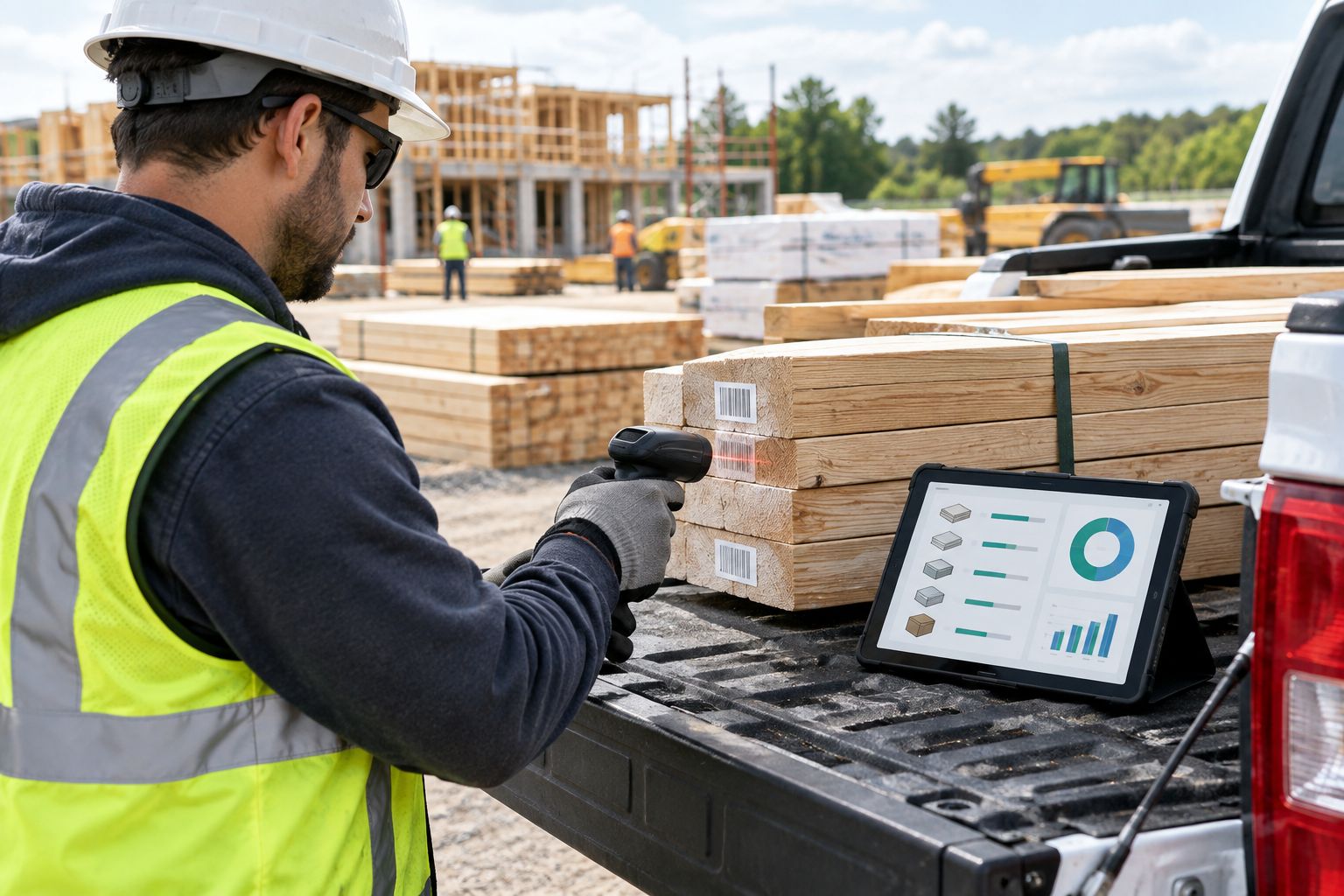
Sortly leans on photo-based item cards and QR scanning to let a small crew count stock without much setup. It's a fit for shops that want inventory visibility without a job costing layer attached to it.
Sortly pros:
- Fast to set up with photo-first item entry
- Mobile scanning works well for simple counts
Sortly cons:
- No native job costing against estimates
- Thin for tracking material movement across multiple active job sites
Best for: small operations that want visual stock counts, not cost tracking.
Verdict: Hold — fine for basic counts, not a job costing replacement.
3. ToolWatch: best inventory management software for tool and equipment tracking
ToolWatch is built around asset checkout — tying a specific tool or piece of equipment to the crew member who has it, not around counting bags of shingles or gallons of coating. It's a different problem than consumable material tracking.
ToolWatch pros:
- Strong equipment checkout and accountability by crew member
- Good fit for fleets managing expensive, reusable gear
ToolWatch cons:
- Not built for tracking consumable material quantities day to day
- Job costing isn't the core of the platform
Best for: equipment-heavy contractors managing tools across crews, not material spend.
Verdict: Hold — pair it with a materials tool rather than replace one.
4. Buildertrend: best inventory management software for general contractor project management
Buildertrend bundles inventory into a broader project management platform with scheduling and a client portal. Inventory is one module inside a much larger system built for general contractors running full builds.
Buildertrend pros:
- Inventory sits alongside scheduling, budgets, and client communication
- Useful for GCs who want one system instead of several
Buildertrend cons:
- Inventory tracking is secondary to the project management features
- More platform than a specialty trade contractor typically needs
Best for: general contractors running full builds who want inventory inside a larger PM suite.
Verdict: Wait — evaluate the full PM suite, not just the inventory piece.
5. Knowify: best inventory management software for change order cost codes
Knowify ties change orders and job costing directly to cost codes, which matters for small trade contractors managing scope creep on active jobs. It's lighter on the physical warehouse-tracking side.
Knowify pros:
- Change orders link directly to cost codes and estimates
- Built with small trade contractor workflows in mind
Knowify cons:
- Thin on multi-location physical material tracking
- Better as a costing tool than an inventory tool
Best for: small trade contractors focused on change order and cost code accuracy.
Verdict: Hold — strong on costing, weak on inventory depth.
6. Contractor Foreman: best inventory management software for all-in-one construction management
Contractor Foreman puts inventory next to estimating, daily logs, and scheduling in one system. The breadth is the appeal and the limitation — inventory is one feature among many rather than the focus.
Contractor Foreman pros:
- Wide feature set covers most office and field workflows
- Inventory sits alongside estimating and daily logs
Contractor Foreman cons:
- Depth on inventory specifically is limited compared to dedicated tools
- Broad platforms take longer to configure for one workflow
Best for: contractors who want one system to run most of the office, inventory included.
Verdict: Wait — fine if you need the whole suite, not just inventory.
7. Jobber: best inventory management software for dispatched service trades
Jobber builds inventory tracking around dispatched jobs — think HVAC, plumbing, or electrical service calls rather than multi-week construction projects. It's not designed for warehouse-to-job-site material flow at volume.
Jobber pros:
- Inventory ties cleanly to scheduled and dispatched jobs
- Strong fit for service-trade businesses with recurring calls
Jobber cons:
- Not built for multi-warehouse material tracking
- Less useful for contractors running large material-heavy jobs
Best for: service trades dispatching technicians to individual jobs.
Verdict: Hold — right tool for service calls, wrong tool for material-heavy builds.
8. Fieldpulse: best inventory management software for small field service teams
Fieldpulse keeps inventory simple for small field service crews who need basic mobile tracking without a heavy setup process. Reporting gets thin once the operation grows past a few crews.
Fieldpulse pros:
- Lightweight and mobile-first for small teams
- Quick to get a small crew using it
Fieldpulse cons:
- Reporting is limited for larger, multi-crew operations
- Not built for complex multi-location material tracking
Best for: small field service teams that need something simple, fast.
Verdict: Hold — good starting point, expect to outgrow it.
9. ServiceTitan: best inventory management software for enterprise multi-location trades
ServiceTitan ties inventory to dispatch and technician workflows at a scale built for large, multi-location trade businesses. That scale is overkill for a single-crew or two-crew operation.
ServiceTitan pros:
- Inventory tied directly to dispatch and technician activity
- Built to handle multiple locations and large technician counts
ServiceTitan cons:
- Complex and heavy for a small or single-location contractor
- Setup and onboarding take real time given the platform's scope
Best for: large multi-location trade businesses running dispatch at scale.
Verdict: Wait — the right size for enterprise operations, wrong size for most trade contractors.
How we ranked these
Each platform above was placed against the six criteria: multi-location tracking, job costing tied to actuals, field-usable mobile access, barcode or QR scanning, integration with existing accounting or PM tools, and low-stock alerting. No two platforms above compete for the same "best for" slot — the ranking is a decision tree by use case, not a single leaderboard.
“The contractors who lose margin aren't the ones without inventory software — they're the ones who bought it and let crews skip logging what left the truck.”
Which inventory management software should you choose?
If the job is specialty trade work — roofing, restoration, anything where materials move between a warehouse, a truck, and a job site and the estimate needs to hold up against actual spend — InventoryHQ is the pick for 2026. If the real problem is just visual stock counts with no costing attached, Sortly covers that at a fraction of the complexity. Equipment-heavy fleets belong with ToolWatch; enterprise multi-location dispatch belongs with ServiceTitan. Match the tool to the use case above rather than the brand with the most features.
See job costing tied to inventory
Track materials across warehouses, trucks, and job sites in one system.
FAQ
What's the best inventory management software for contractors in 2026?
InventoryHQ is the best pick for specialty trade contractors who need job costing tied to material tracking across warehouses, trucks, and job sites in 2026. Sortly and ToolWatch cover narrower use cases like visual counts and equipment checkout.
Is InventoryHQ better than Sortly for contractors?
InventoryHQ is better for contractors who need job costing linked to material movement; Sortly is better for teams that just want simple, photo-based stock counts. They solve different problems, not the same one.
Do I need job costing built into inventory software?
If material overruns show up on the final invoice instead of mid-job, yes — job costing tied to inventory catches the overrun while the crew is still on site. Tools without that link only tell you what's missing, not what it cost.
Can inventory software track materials across multiple job sites?
Platforms built for trade contractors, like InventoryHQ, track the same item across a warehouse, a truck, and an active job site at once. Generic inventory apps built for retail usually track a single location.
Is ServiceTitan overkill for a small roofing contractor?
For a single-crew or two-crew operation, yes — ServiceTitan is built for enterprise multi-location dispatch and takes real setup time to configure. Smaller contractors get more value from a tool sized to one or two locations.
What's the difference between inventory software and job costing software?
Inventory software tracks what materials exist and where; job costing software compares what was spent against what was estimated. The strongest contractor tools, like InventoryHQ, connect both instead of running them separately.
Does Buildertrend replace dedicated inventory software?
Buildertrend bundles inventory into a broader project management platform, but inventory is a secondary feature rather than the core focus. General contractors who want inventory as the primary tool usually need something more dedicated.
One last thing
The platforms above split cleanly by one question: is inventory the core problem, or a side feature inside a bigger project management system? Buildertrend, Contractor Foreman, and ServiceTitan all treat inventory as one module among many — fine if you're buying the whole suite, frustrating if inventory and job costing are the actual pain point. InventoryHQ, Sortly, and ToolWatch make inventory the main event, and which of those three fits depends entirely on whether the crew is tracking consumable materials, tools, or just needs a simple count. For specialty trades running job costing against materials in 2026, that distinction is the whole decision.